

Visual Exploration: Dark Web Image Search Made Easy
A beginner's guide to navigating dark web image searches and finding the tools you need.

Dark web image search requires specialised .onion search engines accessed through Tor Browser, but none offer dedicated image filters or thumbnail galleries like Google Images. You'll need to:
Install Tor Browser and navigate to text-based engines such as Ahmia or Torch
Run keyword searches and manually open results to view embedded images
Accept that most onion sites don't optimise images for discovery, and roughly 85% of dark web domains are unreachable at any time[1]
Comparison of Dark Web Search Engines for Image Search
| Search Engine | Image Indexing | Dedicated Filters | Thumbnail View | Accessibility |
|---|---|---|---|---|
| Ahmia | Limited | No | No | Depends on site availability |
| Torch | Comprehensive | No | No | Depends on site availability |
| Haystak | Limited | No | No | Depends on site availability |
| Others | Varies | Depends on engine | Depends on engine | Depends on site availability |
What Is Dark Web Image Search and Why It's Different
Dark web image search refers to the process of locating images hosted on .onion sites, which are only accessible via the Tor network. This differs from surface web reverse image searches, like those on Google Images, which index content available on traditional websites. The main reason standard search engines don’t work on .onion sites is that these sites are not indexed in the same way as surface web domains. As of 2024, there are about 1.95 million daily users accessing the Tor network, but only around 8,416 live onion sites exist out of over 55,000 different domains crawled[2][1].
Limitations of Dark Web Image Search
When searching for images on the dark web, you’ll encounter several limitations:
Smaller Databases: Dark web search engines, like Ahmia and Torch, have significantly fewer indexed sites compared to surface web search engines. For instance, only 15% of onion domains are live at any given time, meaning most are unreachable or defunct[1].
No Centralised Indexing: Unlike Google, which compiles a comprehensive index of web content, dark web images are scattered across various sites without central organisation. This makes searching more challenging.
Lack of Optimisation: Many onion sites do not optimise their images for search engine discovery. Consequently, finding images can be a tedious process, often requiring manual browsing through text-heavy results[3].
Legitimate Use Cases for Dark Web Image Search
Despite these challenges, there are valid reasons for engaging in dark web image searches:
Research: Journalists and researchers may seek images that are not available on the surface web, particularly related to sensitive topics or events not covered by mainstream media.
Verification: OSINT (Open Source Intelligence) practitioners often use dark web images to verify information or gather intelligence on specific subjects.
Censored Journalism: Some dark web platforms host images and articles that have been censored or suppressed, providing a unique perspective on current events.
When navigating the dark web for images, remember to use tools like Ahmia or Torch, as they are specifically designed for .onion domains. However, be prepared for a different experience compared to traditional image searches.
How to Access the Dark Web Safely Before Searching
To explore the dark web, you need to take a few essential steps to ensure your safety and anonymity. The primary tool for accessing .onion sites is the Tor Browser, which allows you to browse the web without revealing your identity.
Setting Up Tor Browser
Download Tor Browser: Visit the official Tor Project website to download the Tor Browser. Make sure to use a secure internet connection to avoid potential threats.
Install: Follow the installation instructions for your operating system. The process is straightforward and typically involves clicking through a few prompts.
Launch and Configure: Once installed, launch the browser. You might want to adjust the security settings for maximum anonymity. Select the highest security level for increased protection against potential threats.
Essential Anonymity Practices
Use a VPN: While Tor provides anonymity, using a Virtual Private Network (VPN) adds an extra layer of security. Choose a reputable VPN that does not keep logs of your activities. This is crucial for keeping your online presence private.
Avoid Personal Information: Never enter personal details, such as your name or email, on dark web sites. This is vital for maintaining your anonymity.
Risks to Consider
Accessing the dark web carries inherent risks. Approximately 1.95 million users connect to the Tor network daily, but not all sites are safe. Many .onion sites are defunct or host illegal content[2][1]. Engaging with such content can have serious legal implications. While simply browsing is typically legal, interacting with illegal material can lead to criminal charges[4].
Connection to Search Tools
Your ability to use dark web search engines like Ahmia and Torch hinges on your access to the Tor network. These tools help you locate images and content across various .onion sites, but remember that many sites do not optimise their images for search engines[3]. Thus, be prepared for a bit of a hunt.
By following these steps and precautions, you’ll be better equipped to navigate the dark web safely and effectively.
Dark Web Search Engines That Support Image Search
Finding images on the dark web can be challenging. Most search engines do not have dedicated image search capabilities like Google Images. However, several dark web search engines can help you locate images hosted on .onion sites. Here are some of the notable ones:
Torch
.onion Address: torchdarkweb.com
Capabilities: One of the oldest dark web search engines, Torch has indexed images since its inception. While it does not offer a dedicated image search filter, you can find images by searching for keywords related to specific topics[3].
Ahmia
.onion Address: ahmia.fi
Capabilities: Ahmia is designed specifically for .onion domains and provides a user-friendly interface. However, it lacks dedicated image search filters and focuses more on general searches. You may find images by searching relevant keywords[5][6].
Haystak
.onion Address: haystakvxhx6j4r.onion
Capabilities: Haystak offers a more extensive database of .onion sites, but like Ahmia and Torch, it doesn’t feature an image-only search. You can use keyword searches to find image repositories[7].
Not Evil
.onion Address: notevil.com
Capabilities: This search engine indexes various .onion sites. While it does not have a dedicated image search, you can attempt keyword-based searches to locate image content.
DuckDuckGo (Dark Web Version)
.onion Address: duckduckgo.com
Capabilities: DuckDuckGo’s dark web version operates similarly to its surface web counterpart. It doesn’t offer dedicated image search but can help you find .onion sites with image content through keyword searches[6].
Workarounds for Image Searches
Since most dark web search engines do not provide dedicated image search features, you can employ some workarounds:
Keyword Searches: Use specific keywords related to the images you are looking for. For example, if you are interested in art, search terms like “dark web art” or “digital art”. This may lead you to sites hosting relevant images.
Explore Image Repositories: Some .onion sites are dedicated to hosting images or galleries. Use general search engines to find links to these repositories, then navigate directly to them.
Remember that many dark web sites do not optimise their images for search engine discovery, so finding specific images can be a bit like searching for a needle in a haystack. Stay patient and keep your searches focused!
Step-by-Step: How to Search for Images on the Dark Web
Searching for images on the dark web can be a unique experience. Here’s a straightforward guide to help you navigate this process effectively.
Accessing Dark Web Search Engines
To start your image search, you need to use specific dark web search engines designed for .onion sites. Here are a few popular options:
Torch: One of the oldest and most comprehensive options for image indexing. You can search using keywords related to the images you want to find[3].
Ahmia: This search engine focuses on .onion domains and provides a user-friendly interface. However, it lacks dedicated image filters[5].
Haystak: Offers a larger database of .onion sites but also does not feature an image-only search[7].
To use these engines, simply enter relevant keywords related to the images you are searching for. For example, if you are looking for “vintage photographs,” type that into the search bar.
Manually Navigating to Image Boards
In addition to using search engines, you can manually explore image boards and repositories. Some sites are dedicated to hosting images. You can find links to these sites through discussions on forums or directories like the Hidden Wiki.
Verifying Image Sources
Verification is crucial when dealing with images from the dark web. Here are some steps to ensure the authenticity of the images you find:
Reverse Image Search: Use services like TinEye or Yandex on the surface web to check if the image exists elsewhere. This can help you determine if the image has been manipulated or misrepresented.
Check Metadata: If available, examine the metadata of the image for additional context. However, many dark web images lack this information.
What to Expect in Results
Searching for images on the dark web can yield slower and less comprehensive results compared to surface web searches. Here’s what you might encounter:
Limited Thumbnails: Most dark web search engines do not provide thumbnail previews, making it necessary to click through links to view images[6].
Text-Heavy Results: Expect to sift through many text-based results before finding images. This is typical due to the lack of optimisation for image discovery on .onion sites[3].
By following these steps, you can effectively search for images on the dark web while ensuring your safety and verifying the sources of the content you find. Happy hunting!
Reverse Image Search Tools That Work With Dark Web Content
Finding images on the dark web can be a bit tricky, but you can use traditional reverse image search tools and specialised OSINT tools to help. Here’s how it works.
Traditional Reverse Image Search Tools
While tools like Google Images, TinEye, and Yandex are primarily for the surface web, they can sometimes locate dark web images if those images have been shared elsewhere. This is particularly true for images that have been posted on public forums or sites that index dark web content without proper security measures.
You might find that a dark web image has been uploaded to a surface web site, making it searchable through these tools. However, this method is not foolproof, as many dark web images remain hidden or are poorly indexed.
OSINT Tools for Dark Web Content
For a more thorough approach, consider using OSINT tools designed to crawl both the surface and dark web. These tools can help you discover images that might not appear in traditional searches. Some popular options include:
Haystak: This tool offers a more extensive database of .onion sites but does not feature dedicated image search capabilities.
Ahmia: Designed specifically for .onion domains, Ahmia provides access to various dark web content, including images, although it lacks dedicated filters for images.
Practical Workflow for Image Search
To effectively find images from the dark web, follow this simple workflow:
Download the Image: First, identify and download the image you want from a dark web site. Use the Tor Browser for this purpose, as it allows you to access .onion sites securely.
Reverse Search on Surface Web: Once you have the image, use traditional reverse image search tools like TinEye or Google Images. Upload the image to see if it appears elsewhere online. This is especially useful for verifying sources or understanding the context of the image.
Things to Keep in Mind
Limited Success: Remember that many dark web images are not optimised for search engines, making them harder to find. Images may also be behind authentication walls or private galleries, which traditional search tools can’t access[3].
Legal Considerations: Always ensure that you are not violating any laws while accessing and using images from the dark web. Simply browsing is typically legal, but interacting with illegal content can lead to serious consequences[4].
By combining these methods and tools, you can enhance your chances of successfully searching for images on the dark web while maintaining a level of safety and anonymity. Happy searching!
Common Image Categories and Where to Find Them
When exploring the dark web, you can come across various image categories that cater to different interests. Here’s a quick overview of some legitimate categories you might want to search for, along with specific sites and forums known for hosting image content.
Image Categories to Explore
Historical Archives: Many .onion sites focus on preserving historical documents and images. You might find unique photographs and illustrations that are not available on the surface web.
Censored Journalism: Some platforms provide images related to journalism that has been censored or restricted in certain countries. These can include striking visuals from protests or political events.
Privacy-Focused Art Communities: There are art communities on the dark web where artists share their work anonymously. These sites may host galleries of digital art, photography, and illustrations.
Leaked Documents: Occasionally, you can find images accompanying leaked documents of interest, such as government reports or corporate disclosures.
Specific Dark Web Sites and Forums
Hidden Wiki: This directory offers links to various .onion sites, including those that host images. It’s a good starting point to discover new content.
Torch: This search engine has been around for years and is known for indexing images across dark web sites. While it doesn’t have a dedicated image search feature, you can find images by using specific keywords[3].
Ahmia: Designed specifically for .onion domains, Ahmia allows users to search for various content, including images. However, it does not offer dedicated image filters[5].
What NOT to Search For
While the dark web can host intriguing content, it’s essential to avoid searching for illegal material. This includes:
Explicit Content: Many sites that host illegal adult content can lead to serious legal consequences. Accessing such material, even passively, can implicate you in criminal activities[4].
Hacking Tools or Services: Searching for tools or services related to hacking can expose you to legal risks and malicious content.
Stolen Data: Engaging with sites that offer stolen data or personal information can result in serious legal implications and ethical concerns.
Conclusion
Navigating the dark web can be a unique experience, but it’s crucial to focus on legitimate content. By exploring historical archives, censored journalism, and art communities, you can find valuable images. Just remember to use caution and avoid searching for illegal content to stay on the right side of the law.
What to Do If You Find Unexpected or Illegal Content
If you stumble upon unexpected or illegal content while exploring the dark web, it’s crucial to act responsibly. Here’s a clear protocol to follow:
Don't Download or Interact: The first rule is to avoid downloading any files or interacting with the content. Engaging with illegal material can lead to serious legal repercussions.
Close Immediately: Exit the website without delay. Use the Tor Browser's features to ensure your exit is swift and secure.
Report to Authorities: If you encounter content that appears to be illegal, such as child sexual abuse material (CSAM), report it to the appropriate authorities. In the USA, you can contact:
FBI Internet Crime Complaint Center (IC3): This platform allows you to report cyber crimes, including illegal content found online.
National Center for Missing & Exploited Children (NCMEC): This organisation specifically addresses issues related to child exploitation and can provide assistance.
Psychological Preparedness
Encountering illegal content can be distressing. It’s essential to prepare yourself mentally for the possibility. Understand that the dark web can host disturbing material, and it’s okay to feel unsettled. If you find yourself affected, consider talking to someone about your experience or seeking professional help.
Legal Boundaries and Consequences
Navigating the dark web comes with legal risks. Accessing certain content may not be illegal in itself, especially if done without criminal intent[4]. However, interacting with or downloading illegal material can lead to charges under laws such as the Computer Fraud and Abuse Act[4].
Always remember: if you are unsure about the legality of what you are viewing, it’s best to err on the side of caution. Avoid engaging with any content that raises red flags.
By following these guidelines, you can maintain your safety and stay within legal boundaries while exploring the dark web.
Key Takeaways
Tor Browser is non-negotiable: You cannot access .onion sites or search for dark web images without it; standard browsers will not work.
Expect slower, text-heavy results: Dark web search engines like Torch and Ahmia do not offer thumbnail previews or dedicated image filters, so plan for manual browsing[7][3].
Verify everything: Use reverse image search tools on the surface web to cross-check authenticity, as many dark web images lack reliable metadata or watermarks.
Know the legal red lines: Passively viewing content is generally legal, but downloading or interacting with illegal material—especially CSAM—can lead to criminal charges[4].
Report illegal content immediately: If you encounter CSAM or other illegal material, close the site and report it to the FBI IC3 or NCMEC without downloading anything.
Once you're comfortable with image searches, explore Understanding Tor URLs: Your Gateway to the Dark Web to deepen your knowledge of .onion address structures and navigation strategies.
Discover More Dark Web Insights
Explore our other articles to deepen your understanding.
Browse ArticlesNotes
- 1. Dark Web Myths and Realities: Separating Hype from Truth | Recorded Future
- 2. The dark web - statistics & facts | Statista
- 3. Deep Web Photo Search: Locating Images Safely
- 4. Legal Considerations when Gathering Online Cyber Threat Intelligence and Purchasing Data from Illicit Sources
- 5. ahmia/ahmia-site
- 6. Do Ahmia, Haystak or Torch Provide Searchable Image‑Only Filters or Thumbnails
- 7. Ahmia — Search Tor Hidden Services
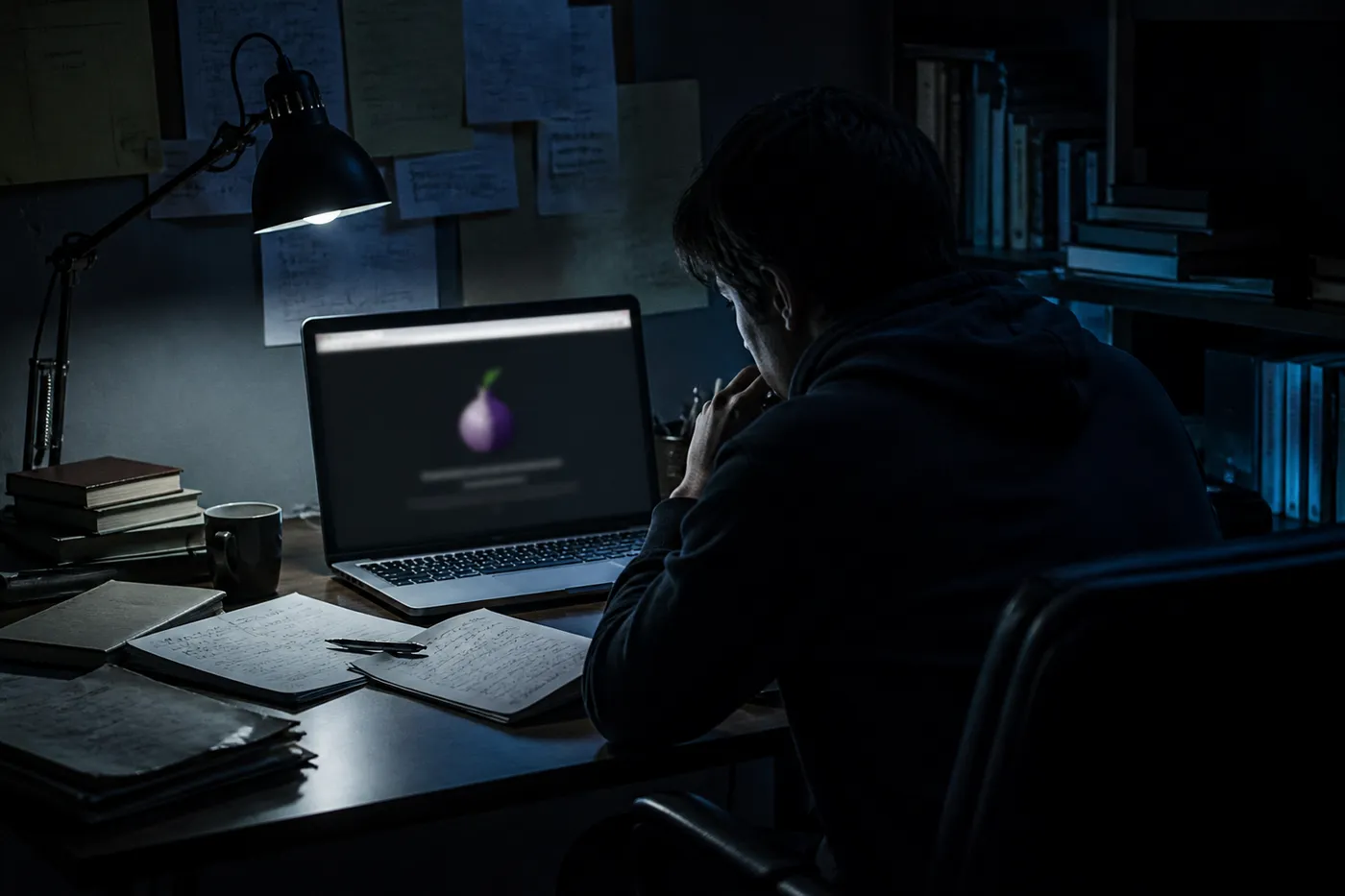 Dark Web Search Engine 2021Discover the best dark web search engines of 2021 to navigate safely and efficiently through hidden online resources.
 Onion links telegramDiscover Telegram channels sharing onion links for easy access to the dark web. Join now and explore hidden resources safely.